
RabbitMQ: non-obvious problems and solutions
This article is more for people who have already worked with RabbitMQ and are facing strange challenges. Here I will describe a few non-obvious and strange problems we encountered and how we solved th


#1. FIFO failure when there are multiple consumers in the queue
AMQP queues are FIFO queue:
In computing and in systems theory, first in, first out (the first in is the first out), acronymized as FIFO, is a method for organizing the manipulation of a data structure (often, specifically a data buffer) where the oldest (first) entry, or "head" of the queue, is processed first.
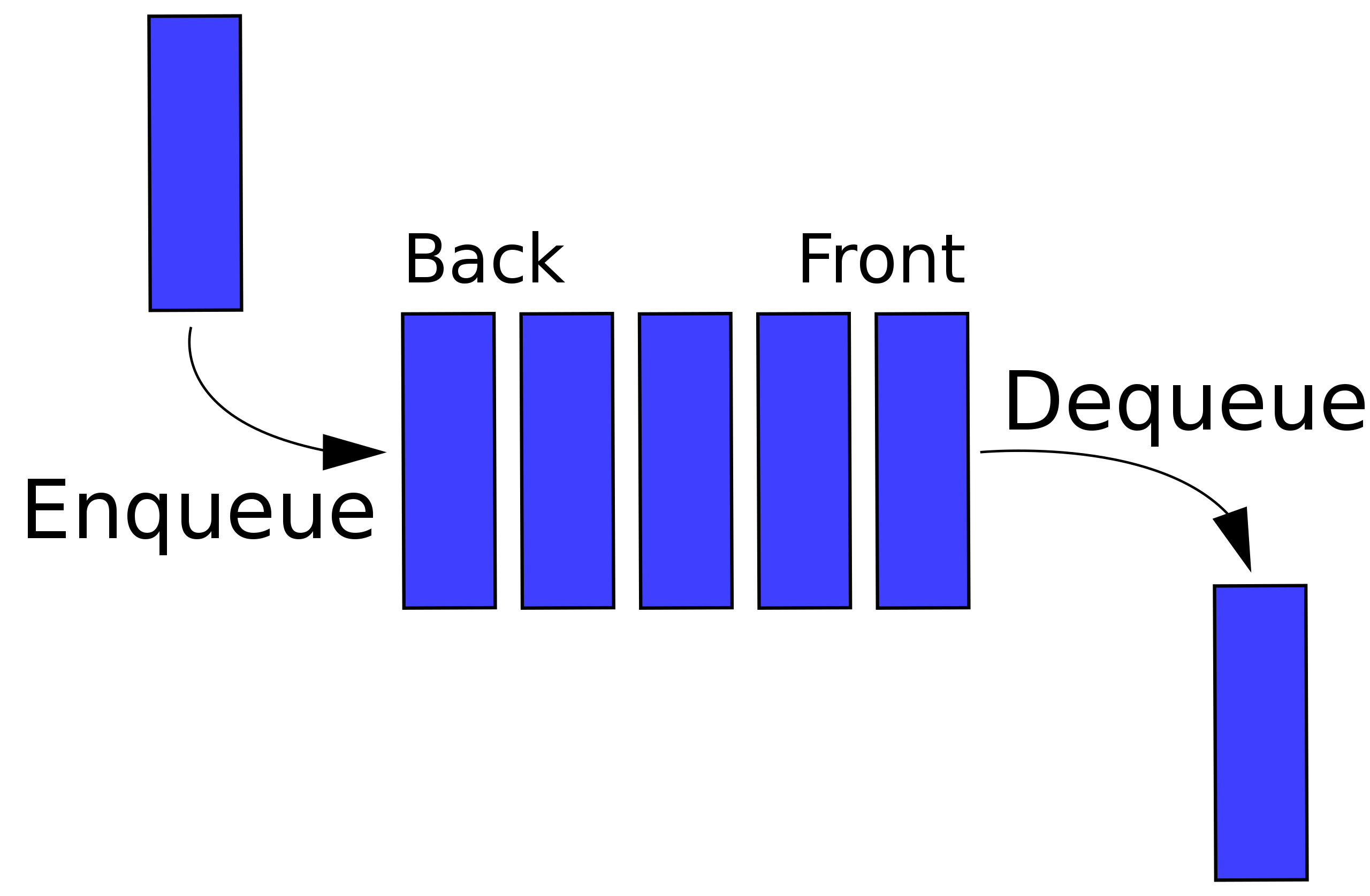
This is true in the case of RabbitMQ if one queue corresponds to one consumer. But if there are multiple consumers of the queue, the FIFO pattern is not followed.
Here's what the official documentation says about it:
Ordering also can be affected by the presence of multiple competing consumers, consumer priorities, message redeliveries. This applies to redeliveries of any kind: automatic after channel closure and negative consumer acknowledgements.
That was mine case 🥹
That is, there is a task to increase the number of queue consumers from 1, say, to 5 in order to speed up the execution of tasks. But at the same time, it is necessary to respect the FIFO order, because otherwise it will violate the sequence of operations and break the consistency of data.
Let's explain with an example: we want to send information about the user's status to an external system/separate service, but there is a requirement - the operations for each user must reflect historical fidelity, i.e. it is necessary to respect the order of these changes.
When adding consumers to the queue (increasing the number of consumers from 1 to 5), two consecutive messages in the queue with the same user_id can simultaneously get to the consumers and be executed with violation of the order, so it will violate the consistency of data in the external system/separate service.
How can we solve this problem?
There are two options here:
The rabbitmq_consistent_hash_exchange plugin
Independently create some sort of buffer-based queue control mechanism using an external data source
Let's quickly break down both options
#1. Plugin path
Such an approach implies that we will not increase the number of queue consumers, we will increase the number of queues itself, but remain within the FIFO framework
Enable RabbitMQ plugin
rabbitmq-plugins enable rabbitmq_consistent_hash_exchangeInstall the PHP AMQP library using composer
composer require php-amqplib/php-amqplib
Now copy and try out this script (replace all the required logins, passwords and host with the required ones)
<?php

require_once __DIR__.'./../vendor/autoload.php';

use PhpAmqpLib\Connection\AMQPStreamConnection;
use PhpAmqpLib\Message\AMQPMessage;

// Establish a connection to RabbitMQ server
$connection = new AMQPStreamConnection('rabbit', 5672, 'guest', 'guest');
$channel = $connection->channel();

// Declare the exchange with type 'x-consistent-hash'
$exchangeName = 'consistent_hash_exchange';
$channel->exchange_declare($exchangeName, 'x-consistent-hash', false, true, false);

// Declare the queues and bind them to the exchange with routing keys (weights)
$queueNames = ['queue1', 'queue2', 'queue3', 'queue4', 'queue5'];
foreach ($queueNames as $queueName) {
    $channel->queue_declare($queueName, false, true, false, false);
    $channel->queue_bind($queueName, $exchangeName, '1'); // Assuming equal distribution
}

// Publish a message with a 'user_id' hash-header
// Example user_id
$messageBody = 'Your message goes here';
for ($i = 1; $i <= 100; $i++) { // $i = routing key
    $message = new AMQPMessage($messageBody, [
        'delivery_mode' => 2,
    ]);
    // Publish the message to the exchange
    $channel->basic_publish($message, $exchangeName, $i);

    echo " [x] Sent message with user_id: {$i}\n";
}


// Close the channel and connection
$channel->close();
$connection->close();
die();
?>
Then we have something like this:
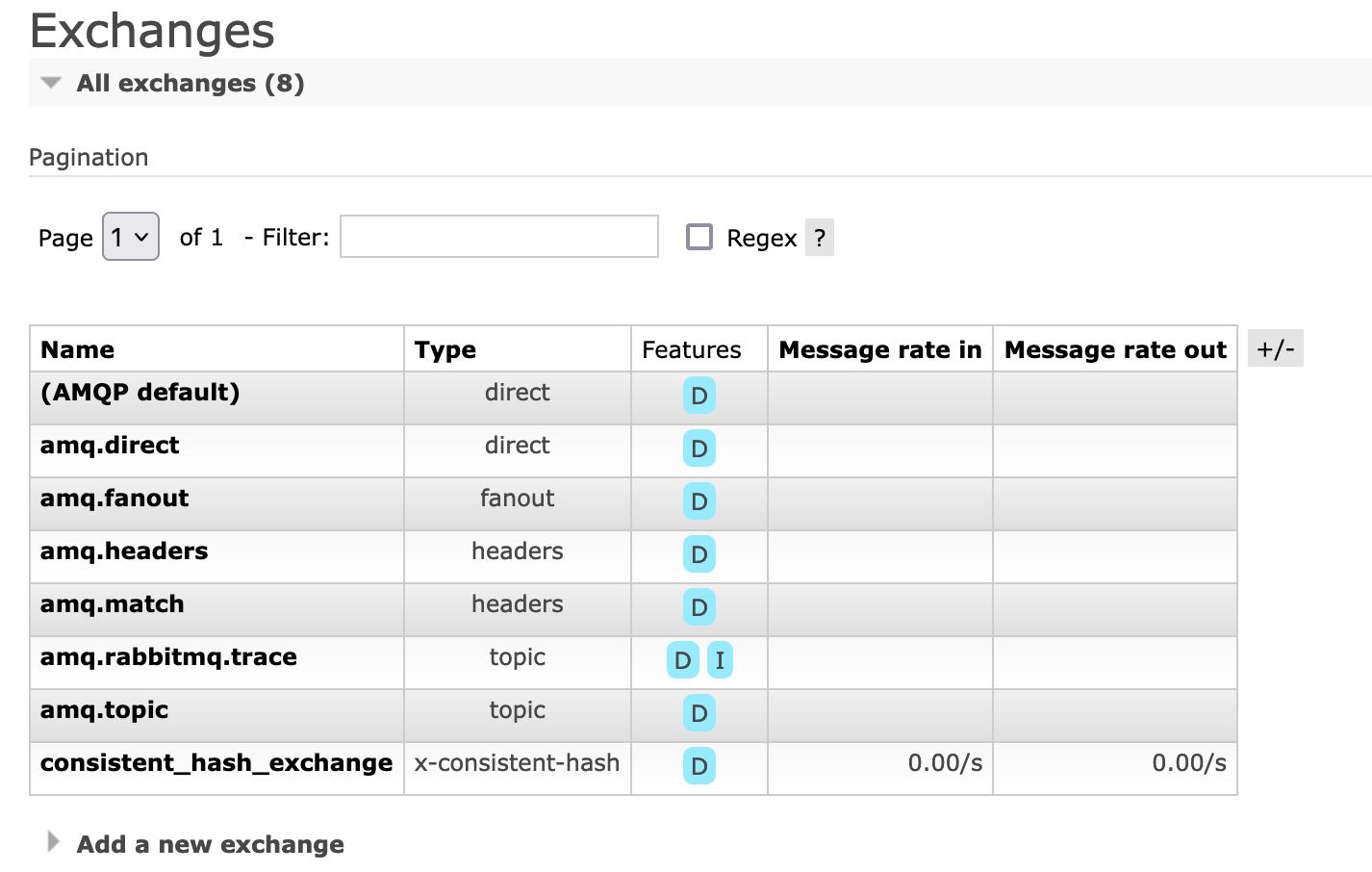

Pay special attention to routing_key. The value of routing_key differs from the standard understanding in RabbitMQ.
As the plugin documentation says:
When a queue is bound to a Consistent Hash exchange, the binding key is a number-as-a-string which indicates the binding weight: the number of buckets (sections of the range) that will be associated with the target queue.
The hashing distributes routing keys among queues, not message payloads among queues; all messages with the same routing key will go the same queue. So, if you wish for queue A to receive twice as many routing keys routed to it than are routed to queue B, then you bind the queue A with a binding key of twice the number (as a string -- binding keys are always strings) of the binding key of the binding to queue B. Note this is only the case if your routing keys are evenly distributed in the hash space. If, for example, only two distinct routing keys are used on all the messages, there's a chance both keys will route (consistently!) to the same queue, even though other queues have higher values in their binding key. With a larger set of routing keys used, the statistical distribution of routing keys approaches the ratios of the binding keys.
Each message gets delivered to at most one queue. On average, a message gets delivered to exactly one queue. Concurrent binding changes and queue primary replica failures can affect this but on average.
That is, when we talk about binding a routing_key to a queue, the assignment of weights happens:
$channel->queue_bind($queueName, $exchangeName, '1'); // Assuming equal distribution…
But, when we specify routing_key while sending a message, a hash function calculation takes place and routing_key is not responsible for the weight here.
// Publish the message to the exchange
$channel->basic_publish($message, $exchangeName, $i);
Let's look at an example.
We send a message to the queue with routing_key 300.
$i = 300;
$message = new AMQPMessage($messageBody, [
    'delivery_mode' => 2,
]);
$channel->basic_publish($message, $exchangeName, $i); // $i = 300
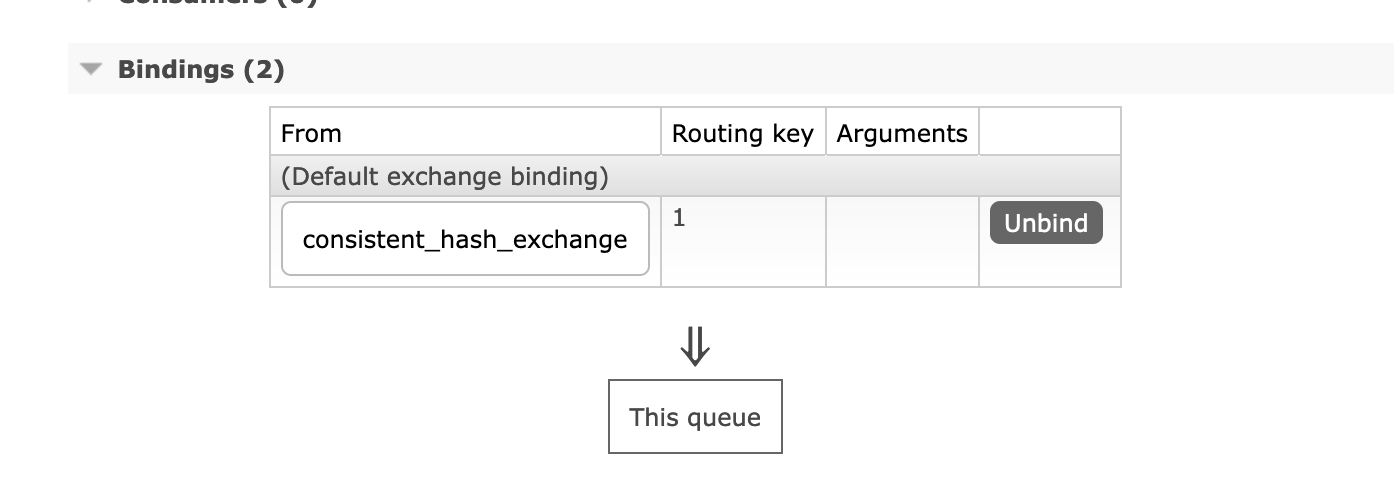
This message goes to queue3, which has routing_key 1.
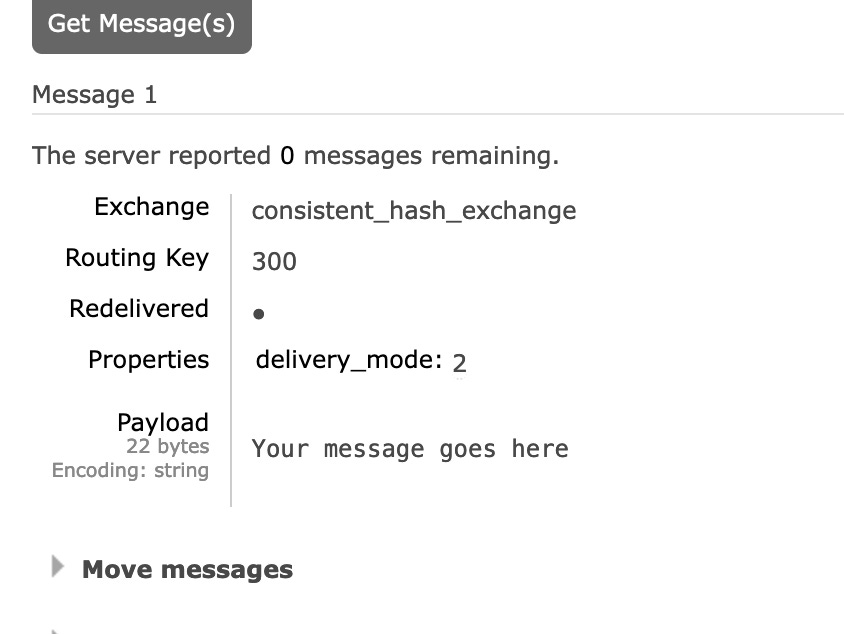
Now take a look at the message itself that is in the queue:
Again, if we send a message twice with routing_key 501
$i = 501;
$message = new AMQPMessage($messageBody, [
    'delivery_mode' => 2,
]);
$channel->basic_publish($message, $exchangeName, $i); // $i = 501
It'll go into queue5
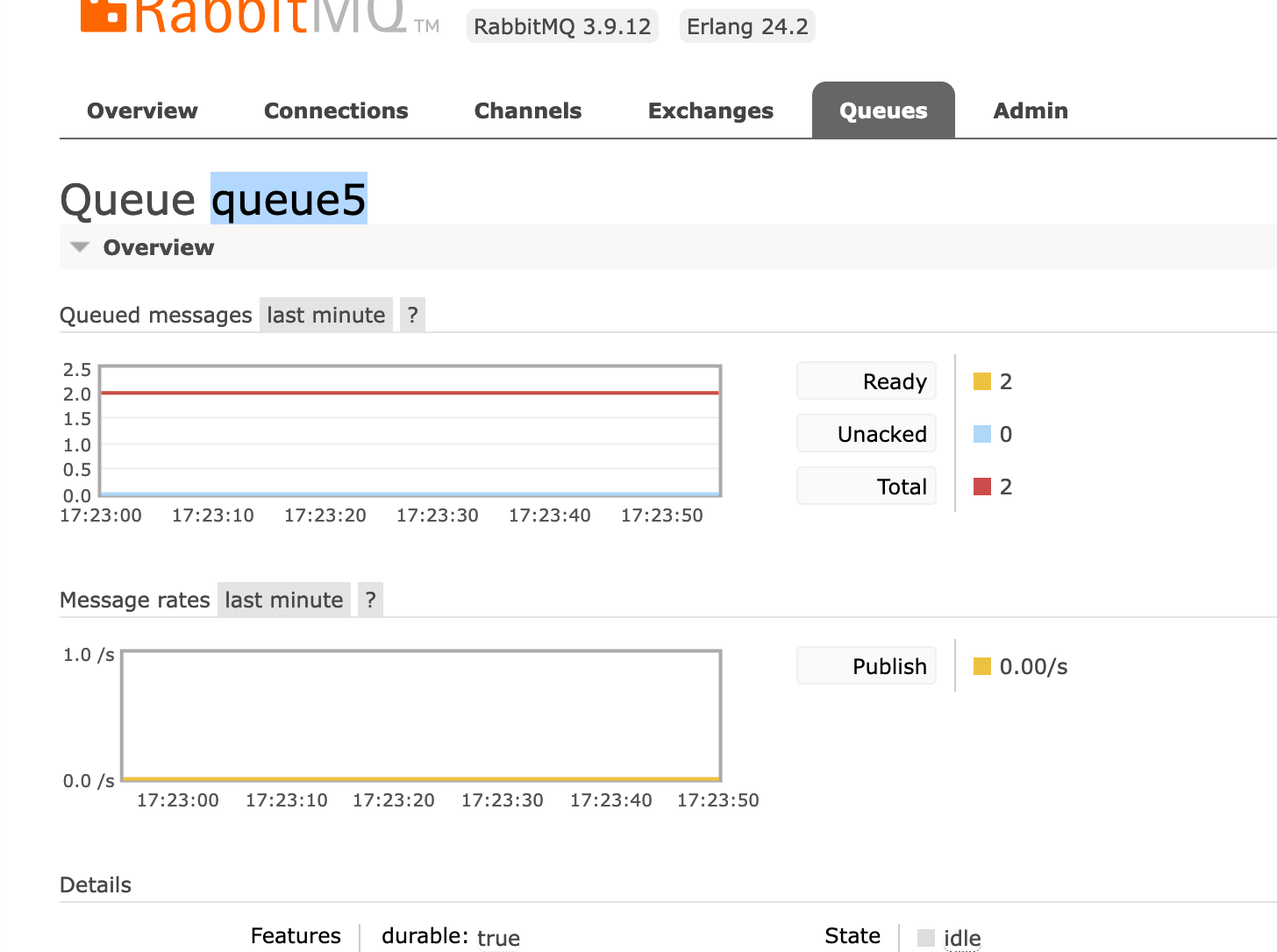
Look! Queue5, like queue3, has routing_key =1
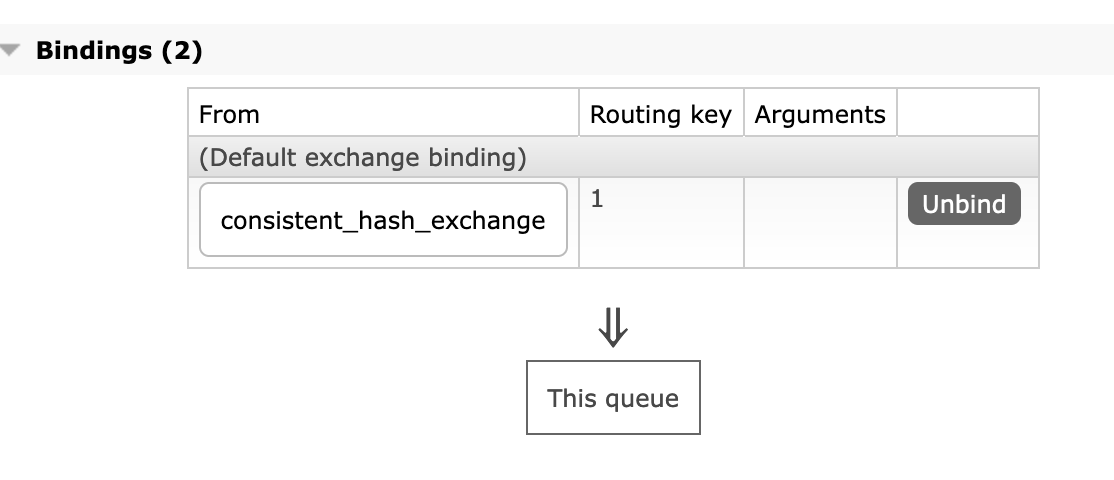
Now take a look at the messages we've sent (twice, I remind you) in this queue....
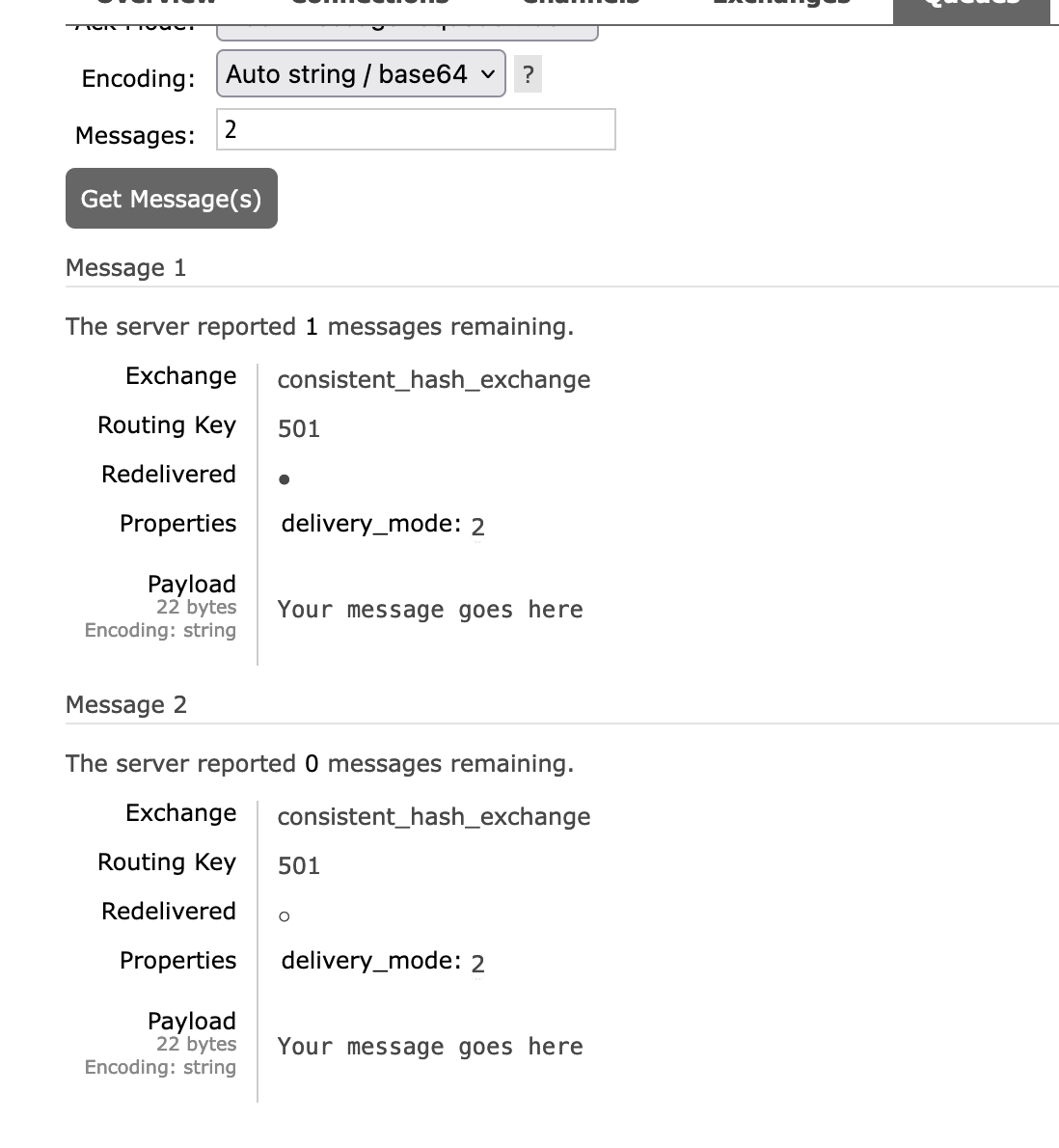
As you can see, in the message itself routing_key = 501.
The fact that routing_key works differently for "bind" and "publish" operations is somewhat counter-intuitive, but it works as we expect. By increasing the number of queues, we can speed up the execution of the job, while still keeping the messages in order (within the same queue) thanks to the hash function. It is important to realise that in this approach, scaling occurs by increasing the number of queues, not by increasing the number of consumers.
Some good articles:
https://livebook.manning.com/concept/rabbitmq/consistent-hash-exchange
https://alexravikovich.medium.com/rabbitmq-partial-order-implementation-using-consistent-hash-exchange-golang-29ab6f439021
#2. Buffer-based queue control mechanism using an external data source
It's what's called a self-written solution. It can be very different from case to case. But the simplest solution can be based on a MySQL table with grouping by field
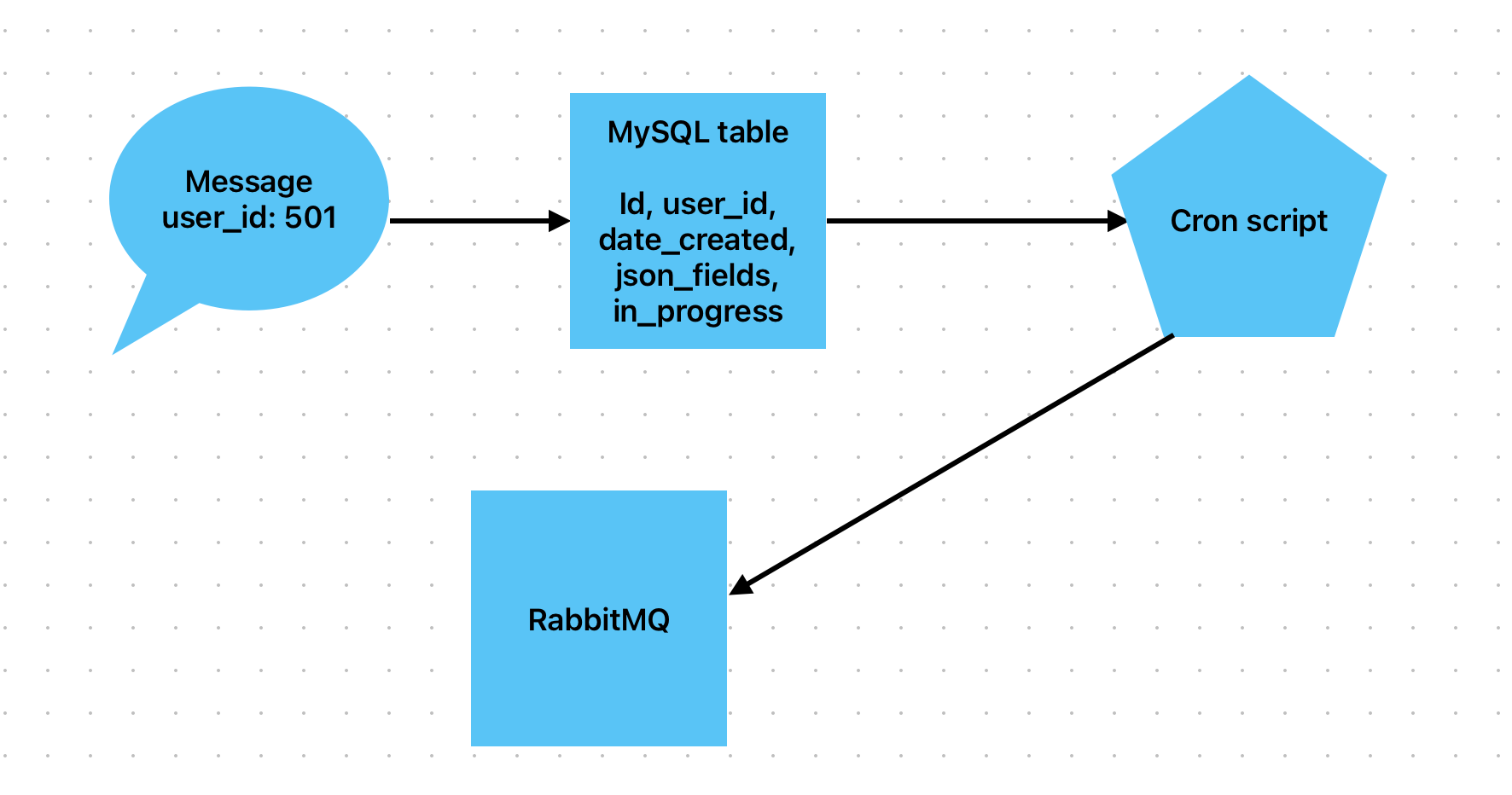
Create a table in MySQL with fields. Let’s call it ‘user_send’
id, user_id, date_created, json_fields, in_progress
If you need to change a user, don't send a message directly to RabbitMQ. Instead, add a row to this MySQL table.
Create a cron script that runs a SQL query that does the following: groups rows by user_id if there is no in_progress=1 in that group, and retrieves the first transaction from that impovised group.
select MIN(user_send.id) as minimum_id, `user_send`.`user_id`, `user_send`.`json_fields`
from `user_send`
left join `user_send` as `in_progress_current`
       on `user_send`.`user_id` = `in_progress_current`.`user_id` and `in_progress_current`.`in_progress` = 1
where `user_send`.`in_progress` = 0
  and `in_progress_current`.`id` is null
group by `user_send`.`user_id`
When selecting these rows, be sure to set all selected rows in_progress=1. This way we will make sure that the first selected row from the group will have the status in_progress=1 and if the cron script is triggered again, no more rows with this user_id will be selected from this group until the first record is executed.
Send a message to RabbitMQ with this row id (minimum_id), user_id and json_fields
Execute the job in conumser and remove the row by id (minimum_id) from this table
This way we will get grouping of values by user_id, save the FIFO and we can add as many consumers as we need. This is a less versatile method and has pros and cons. Sometimes I prefer it to using the RabbitMQ plugin.
#2. Ack/requeu
When you first start working with RabbitMQ, you are sure that if you make a message nack manually, it will go to redelivery. This is not always the case.
The code below will not result in overdelivery. This will simply delete the message.
$queue->nack($envelope->getDeliveryTag(), AMQP_NOPARAM);In order to achieve message redelivery at nack, a special parameter must be passed: requeue.
$queue->nack($envelope->getDeliveryTag(), AMQP_REQUEUE);A more detailed description is here.
The basic.nack command is apparently a RabbitMQ extension, which extends the functionality of basic.reject to include a bulk processing mode. Both include a "bit" (i.e. boolean) flag of
requeue, so you actually have several choices:
nack/rejectwithrequeue=1: the message will be returned to the queue it came from as though it were a new message; this might be useful in case of a temporary failure on the consumer side
nack/rejectwithrequeue=0and a configured Dead Letter Exchange (DLX), will publish the message to that exchange, allowing it to be picked up by another queue
nack/rejectwithrequeue=0and no DLX will simply discard the message
ackwill remove the message from the queue even if a DLX is configuredIf you have no DLX configured, always using
ackwill be the same asnack/rejectwithrequeue=0; however, using the logically correct function from the start will give you more flexibility to configure things differently later.
An interesting point that was not described in the StackOverflow response. The behaviour described above is true if you don't have a Dead Letter Exchange specified. If it is specified (DLX), then nack without "requeue" will send a message to that DLX. Even more interestingly, if you specify a DLX and execute nack + requeue at the same time, the message will not be sent to the DLX, but will be redelivered to the original queue. Thus, nack + requeue should be used if you have not specified a Dead Letter Exchange, otherwise it will result in unexpected behaviour. If Dead Letter Exchange is specified, then nack should be sent WITHOUT requeue.
So keep this scheme in mind:
Nack + requeue with DLX = redelivery to the same queue
Nack + requeue without DLX = redelivery in the same queue
Nack without requeue without DLX = message drop
Nack without requeue with DLX = message sent to DLX
#3. Durability and persistance
Again, it's very common to forget about durability and persistence.
So that RabbitMQ messages and queues can survive a server reboot without problems. You need to specify the queue and messages as durable and persistent. Both of them.
By default, the queue and messages are not resilient to reboots and may be lost. In order for them to be written to the hard disc and recoverable, you need to specify the following settings.
<?php
require_once __DIR__.'./../vendor/autoload.php';

use PhpAmqpLib\Connection\AMQPStreamConnection;
use PhpAmqpLib\Message\AMQPMessage;

// Establish a connection
$connection = new AMQPStreamConnection('rabbit', 5672, 'guest', 'guest');
$channel = $connection->channel();

// Declare a durable queue
$channel->queue_declare('task_queue', true, true, false, false);

// Create a persistent message
$data = "Your message here";
$msg = new AMQPMessage($data, array('delivery_mode' => 2)); // Set delivery_mode to 2 for persistent

// Publish the message to the queue
$channel->basic_publish($msg, '', 'task_queue');

// Close the channel and the connection
$channel->close();
$connection->close();
?>
Pay attention to the third argument in queue_declare and delivery_mode=>2 in the message.
As it says in the documentation:
Queues and exchanges needs to be configured as durable in order to survive a broker restart. A durable queue only means that the queue definition will survive a server restart, not the messages in it.
Create a durable queue by specifying durable as true during creation of your queue. You can check in the RabbitMQ Management UI, in the queue tab that the queue is marked with a "D" to ensure that the queue is durable.
Making a queue durable is not the same as making the messages on it persistent. Messages can be published either having a delivery mode set to persistent or transient. You need to set delivery mode to persistent when publishing your message, if you would like it to remain in your durable queue during restart.
I find it very strange that persistence and durability are not enabled by default. Plus it seems doubly strange that a message can be unstubborn even in a durable queue. So I recommend that you specify messages as persistent and queues as durable to avoid confusing behaviour.
UPD:
Note, if you have an exchange - it MUST be declared as durables too
That is, ideally you should configure as persistent
queues
exchanges
messages
That's it! I usually write articles for myself to better systematise my thoughts. But if you like it, share the article with your friends, leave comments or correct me if I'm wrong. Subscribe!